
MIDI
Draw melodies for several instruments, then export one MIDI file for each.
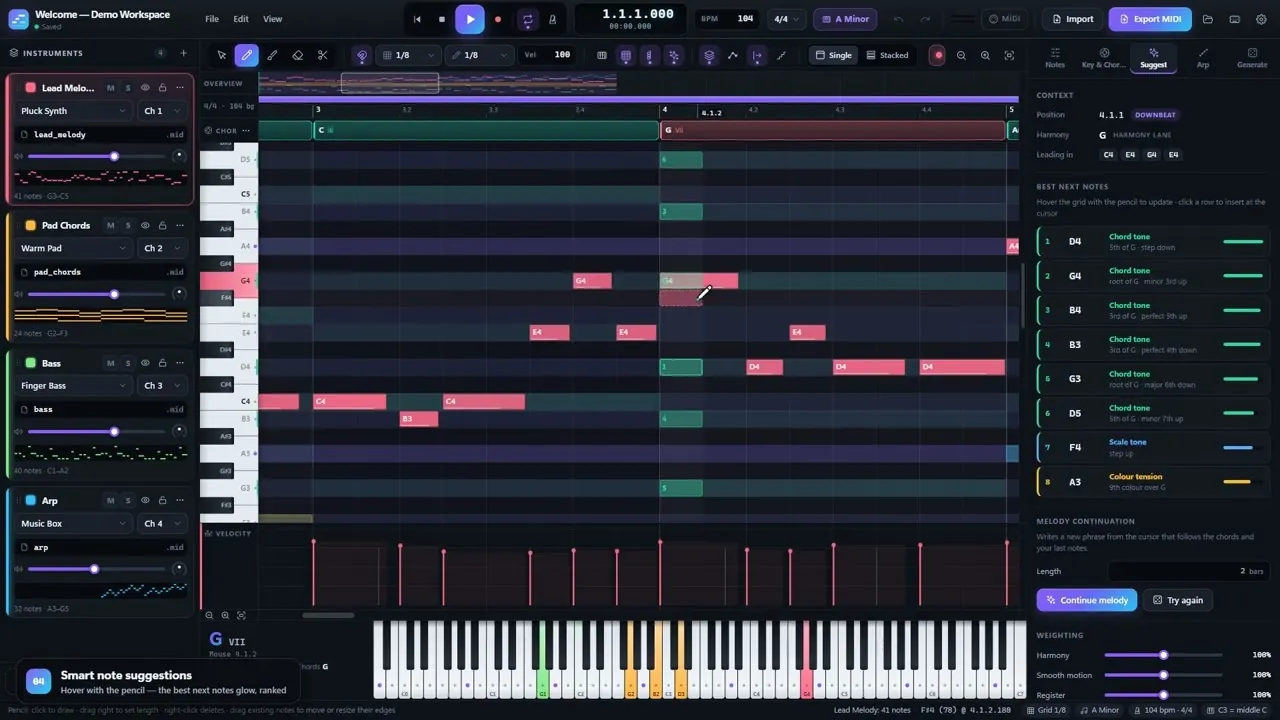 Play MIDI app walkthrough, 3:00
MIDI is a note and melody workstation for the browser. You draw MIDI for several instruments. Then you export one .mid file for each instrument to your DAW. The app walkthrough shows the workstation in three minutes.
Every instrument stays on screen at once, as overlaid ghost notes or as stacked lanes. An 88-key view lights the notes at the playhead and names the current chord.
A harmony lane holds the chords, and those chords drive the rest of the app. As the pencil moves over the grid, the app ranks possible notes and gives a reason for each. The key panel has 26 scales and modes, key detection, and a circle of fifths.
Generators write chord progressions, melodies, and basslines in the current key. An arpeggiator has 13 patterns with a live preview.
The app imports .mid, .midi, and .zip files and splits multi-track files into one instrument each. It exports separate files, a ZIP bundle, one multi-track file, or files directly into a folder.
Workspaces save automatically in the browser. In Chromium browsers, Web MIDI connects a controller keyboard and sends any track live to another app.
MIDI installs as a PWA and works offline after the first load.
Screens
-
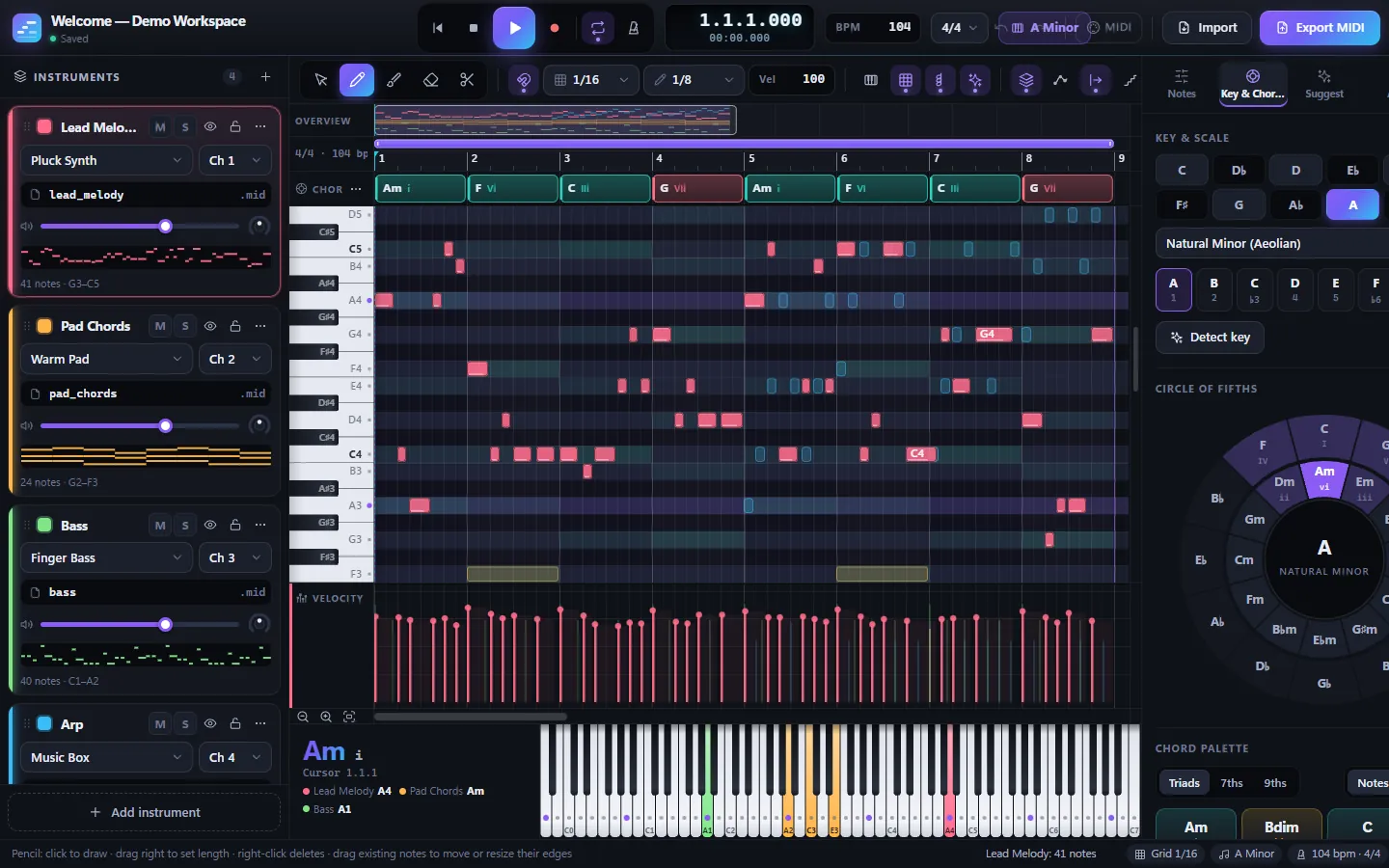
Four instruments on one piano roll -
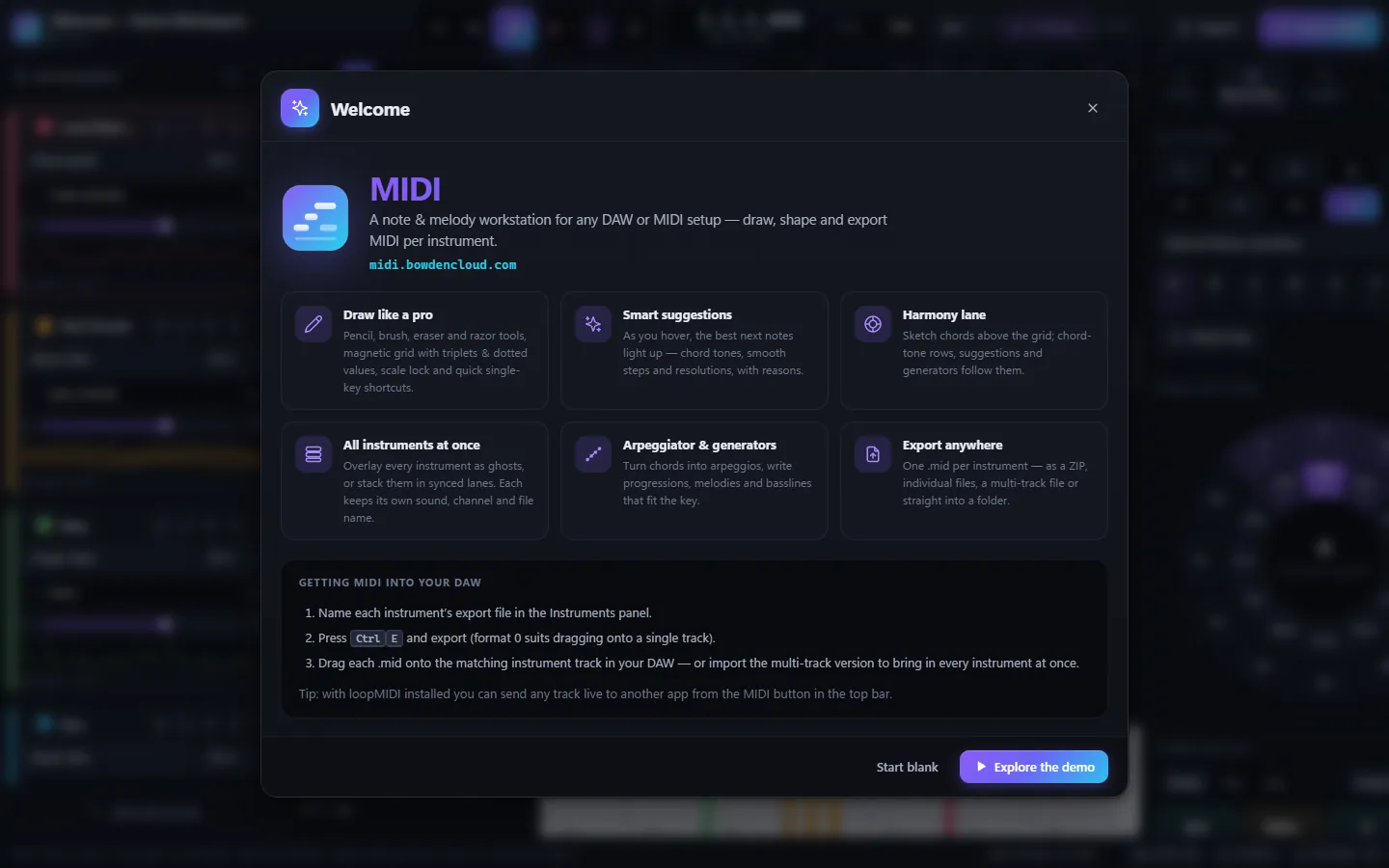
The welcome panel over the demo workspace
Features
- Piano roll with more than 25 note transforms
- Chord-aware note suggestions with reasons
- Generators for progressions, melodies, and basslines
- Export as separate files, a ZIP, or a folder
- Web MIDI input, recording, and live output